Company
DBQ PRO is a software founded by Veterans to help other fellow Veterans get VA disability benefits they deserve. DBQ Pro takes Veterans through the VA disability claims process step by step, providing valuable tips, tools, and information along the way. It is a new tool that gives Veterans full control of their VA disability claims process.
Mission
DBQ PRO mission is to give Veterans the freedom to control their own claims online by leveraging the latest technologies and simplified claim process.
My Role
Project Time
Deliverables
Competitors Analysis
User Research
Brand Sprint
User Flows
Wireframing
User Testing
Prototyping
CHALLENGE
Create an innovative tool that helps Veterans obtain the VA disability benefits by utilizing DBQ PRO software that breaks down a complicated and overwhelming process to simple steps. Provide the fastest and the most accurate way to submit and manage their VA disability claims.
OUTCOME
DBQ PRO is a revolutionary tool that takes the VA claims process to the next level by allowing users to take quick control over their claims by going through a simple step-by-step process. DBQ PRO app ensures Veterans’ privacy and provides the most accurate results.
Tools Used
Figma
Mural
Otter AI
Illustrator
Photoshop
DISCOVERY
Understanding the problem
As someone who’s been working with Veteran-focused companies for over a year, I had a pretty clear picture of Veteran needs and main pain points. Listening to multiple sales phone calls and working closely with the affiliate case managers gave me a basic understanding of the entire VA claim process and Veterans’ mindset when dealing with VA claims and disability benefits.
I understood the pains of Veterans not being able to navigate a complex VA system due to a lack of guidance and resources. Many Veterans tend to get overwhelmed and frustrated by the current VA system. I wanted to validate these problems by interviewing several case managers who work directly with the Veterans in person and interviewing Veterans over the phone.
Based on our research, we discovered the top frustrations:
- Overwhelmed with the number of documents and evidence needed. Veterans feel demotivated when they see an extended list of documents they need and are unsure where and how to get them.
- Experience with predatory third-party agencies. A large percentage of Veterans don’t trust third-party agencies with their documents and claims due to a lack of transparency and hidden fees.
- High cost consulting fees. Veterans are scared of being charged a large fee that they can’t afford.
- Limited resources of VSO. There are free organizations that help Veterans to file their claims with no charge. But very often they provide very limited resources to Veterans, and Veterans end up in the same VA system as before VSO help.
Of Veterans Are Under-Rated
A recent study by the Inspector General showed VA medical evaluators may have accuracy rates as low as 71%.
User Personas
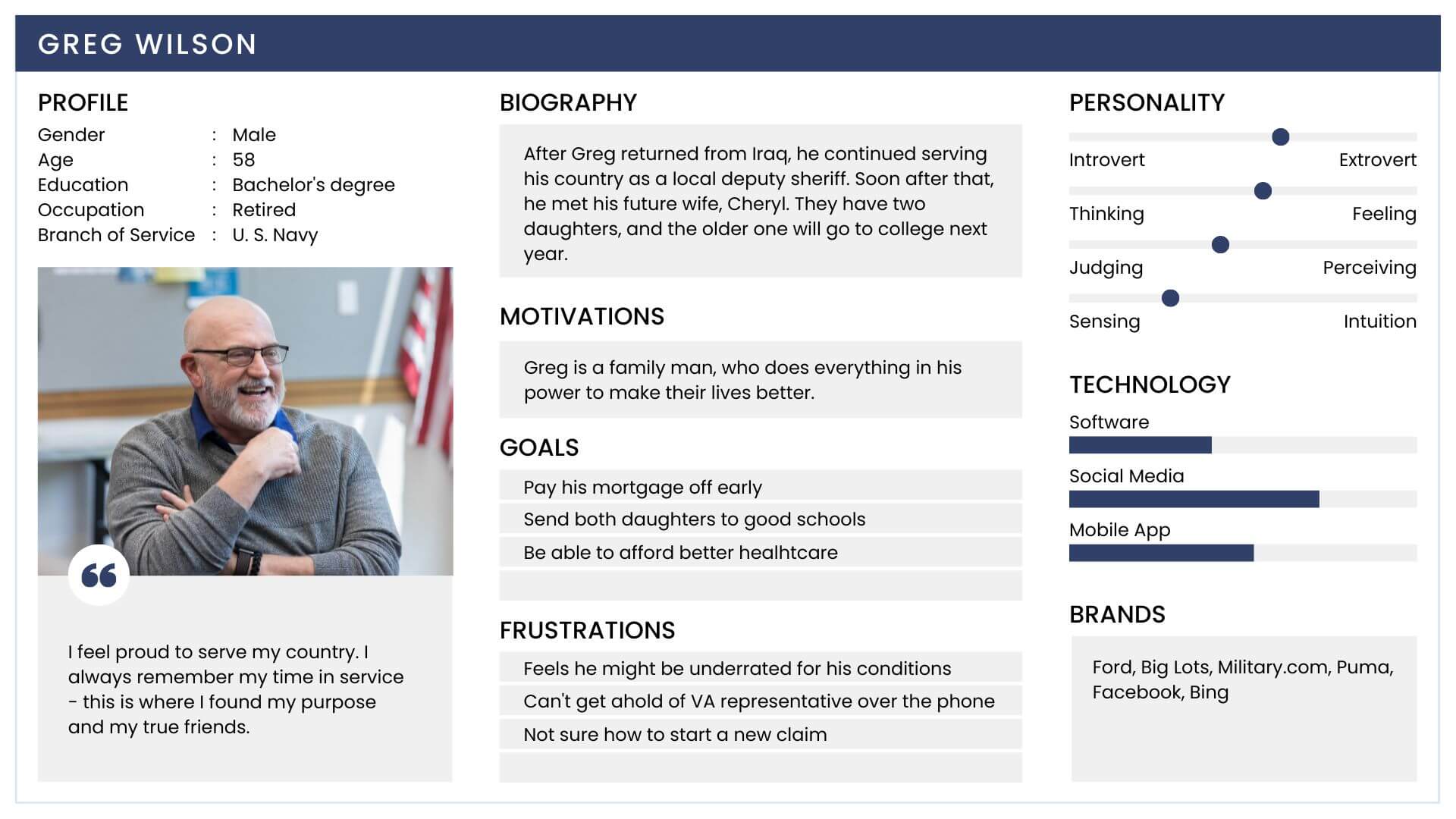
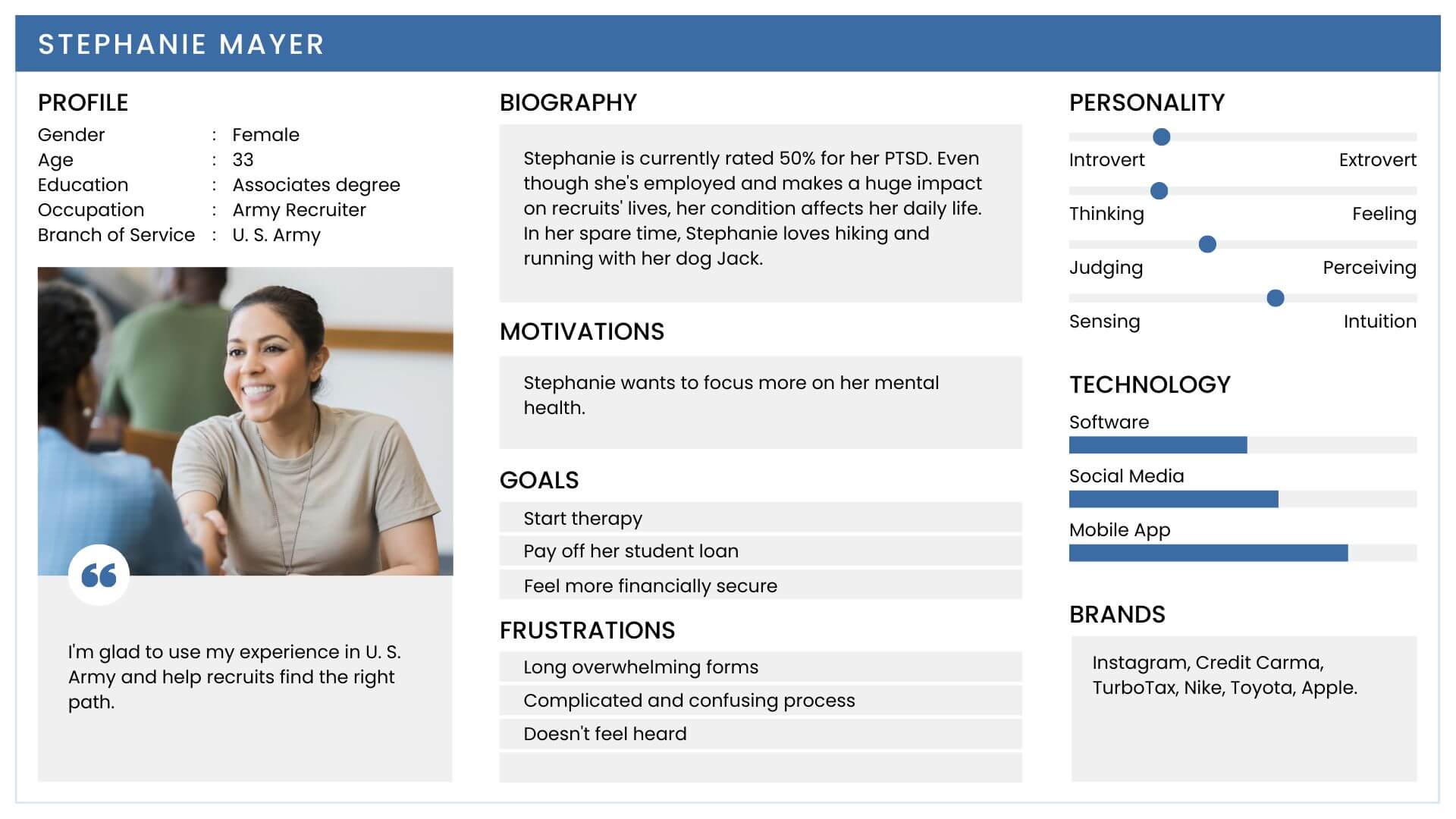
Based on our research, we recognized that there were 2 key user types that our product tried to solve problems for.
Defining the problem statement
Veterans are frustrated with the system because they have very little control over their claims, experience long waiting times, have insufficient resources, and have no guidance.
Competitive Analysis
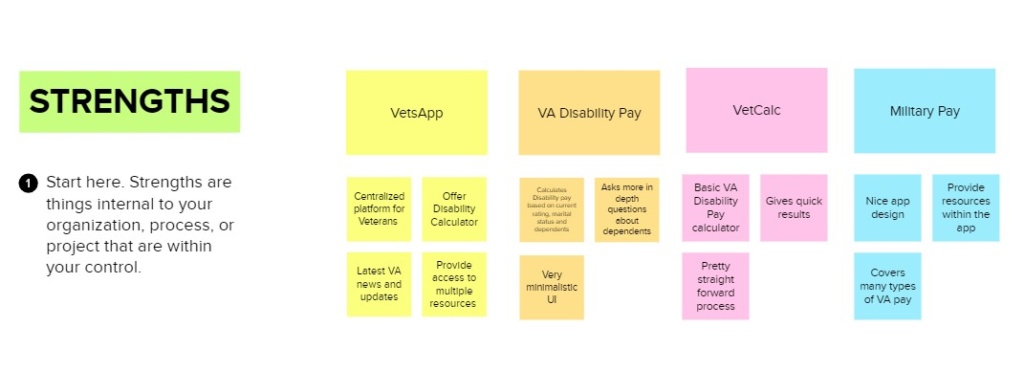
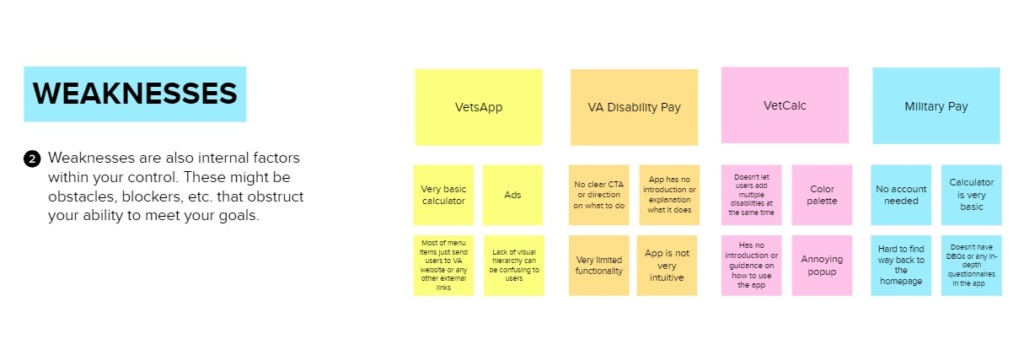
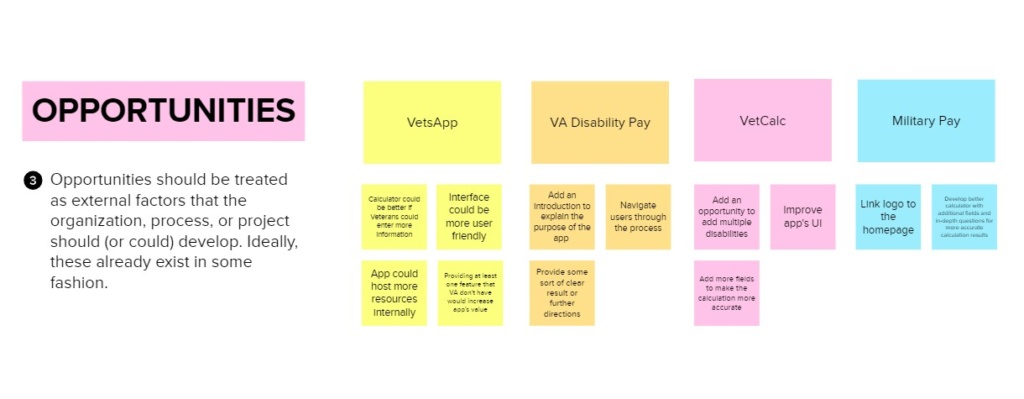
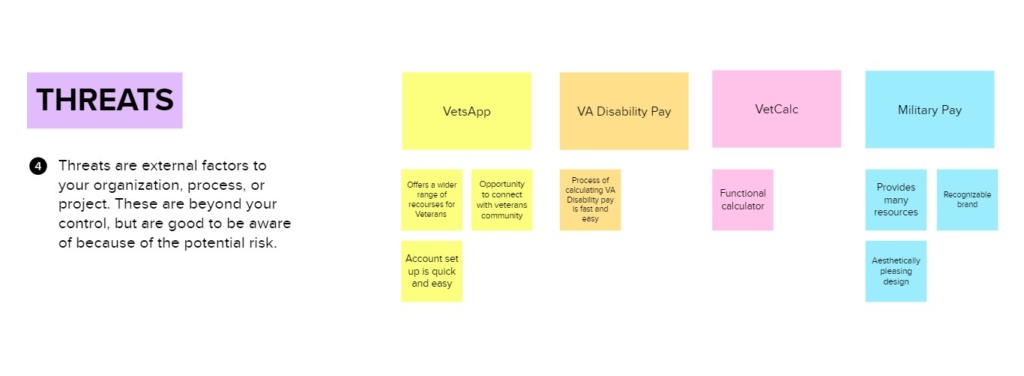
So far, there were no comparable offers, so my research applied to products that provide resources and rating calculators to Veterans.
The creation of competitive profiles (in terms of marketing strategy, target market, core business, usability, layout, navigation structure, compatibility, content, design, and performance) together with SWOT analysis helped to assess current offers in this area.
Also, I analyzed the general advantages and disadvantages of Veteran oriented apps and the question of how our tool can provide more comprehensive information and accurate evaluations.
Opportunities:
Establish credibility & trust
Provide accurate results
Guide & educate users
Create accessible product
Challenges:
Simplify complex process
Verify all input data
Provide resources
Make it affordable
The product vision
Brand Sprint
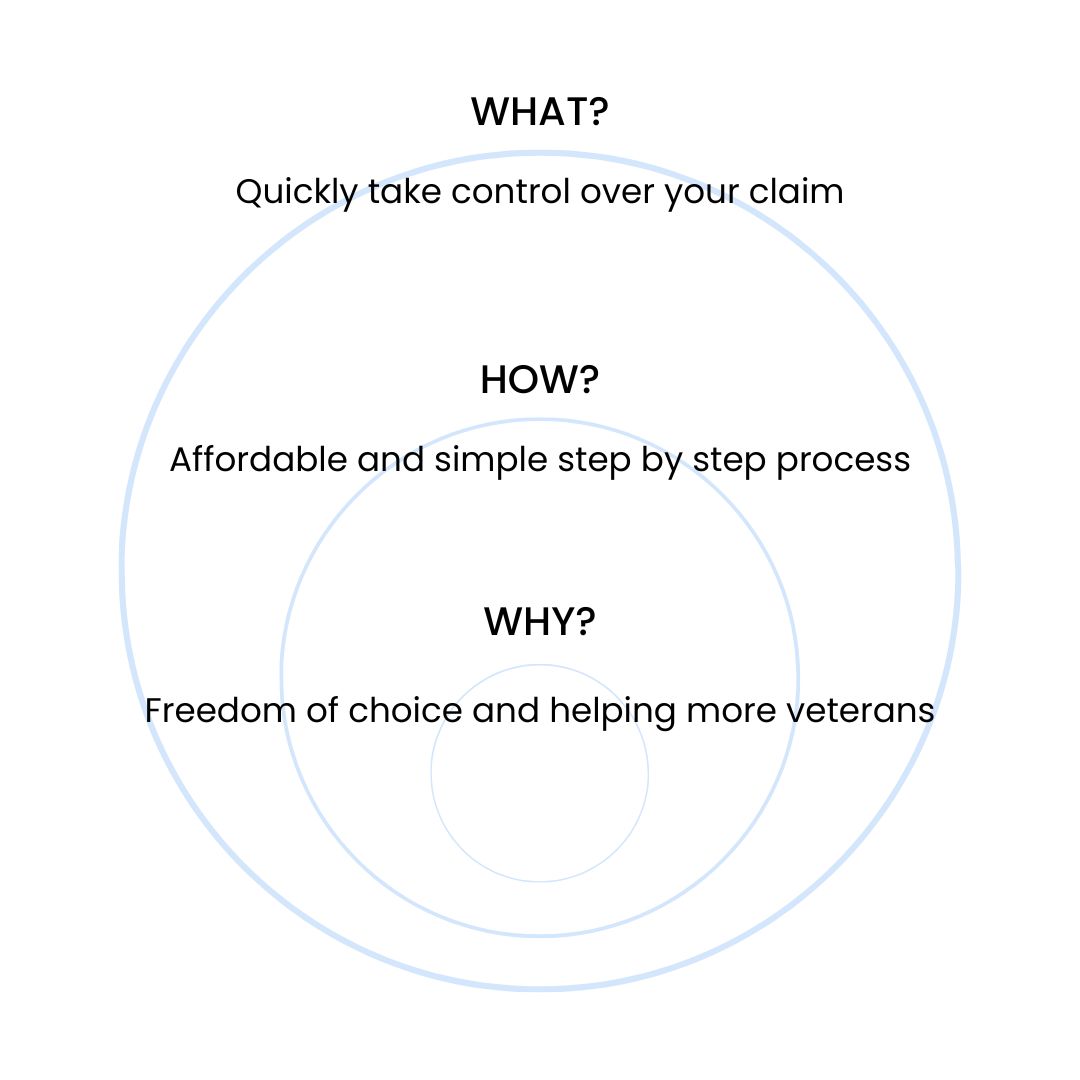
In order to turn all our ideas about the future product into a defined brand image, and to make sure that it aligns with the executive’s vision, our team decided to run a brand sprint. Our goal was to find our product’s place in the competitive landscape.
During our brand sprint, we established our product’s timeline and goals for each time frame. We clarified the main goals and ideas, as well as defining what is that we offer, how we can get there, and why we do what we do.
Primary Value
Access to information. Government processes are complex. By providing our users with processes and data we can ensure that Veterans have the information they need to work effectively with the VA.
Secondary Value
When veterans succeed, we succeed. We want to invest in your future. Being a social impact business allows us to help more veterans, which means we are in it for the long haul.
Tertiary Value
Social and Financial Security. You protected us, so we protect you. Your data is your property. Sharing it with us is a great honor, and it will be used for the sole purpose of getting you the benefits you deserve.
We successfully established our top three target audiences, that we were using as a reference during the design process.
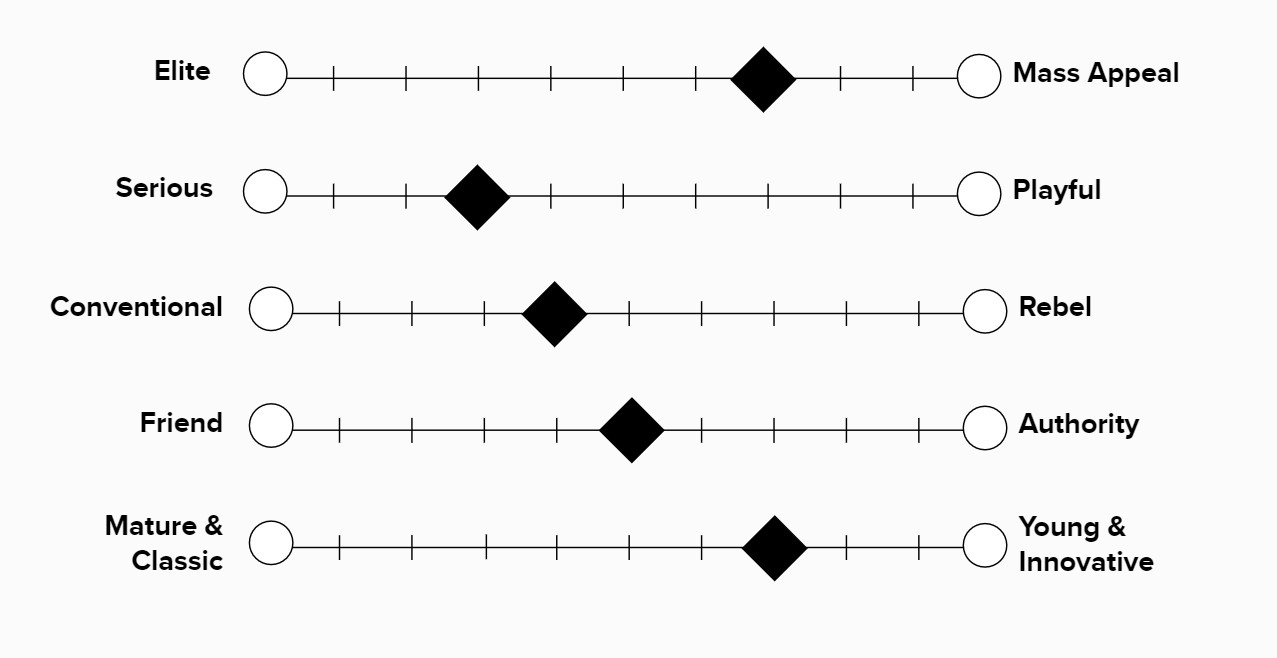
To be consistent with our brand voice and tone, we defined our brand personality.
- Audience 1 - Veterans
- Audience 2 - Medical and other service providers
- Audience 3 - Government
LOGO & BRAND IDENTITY
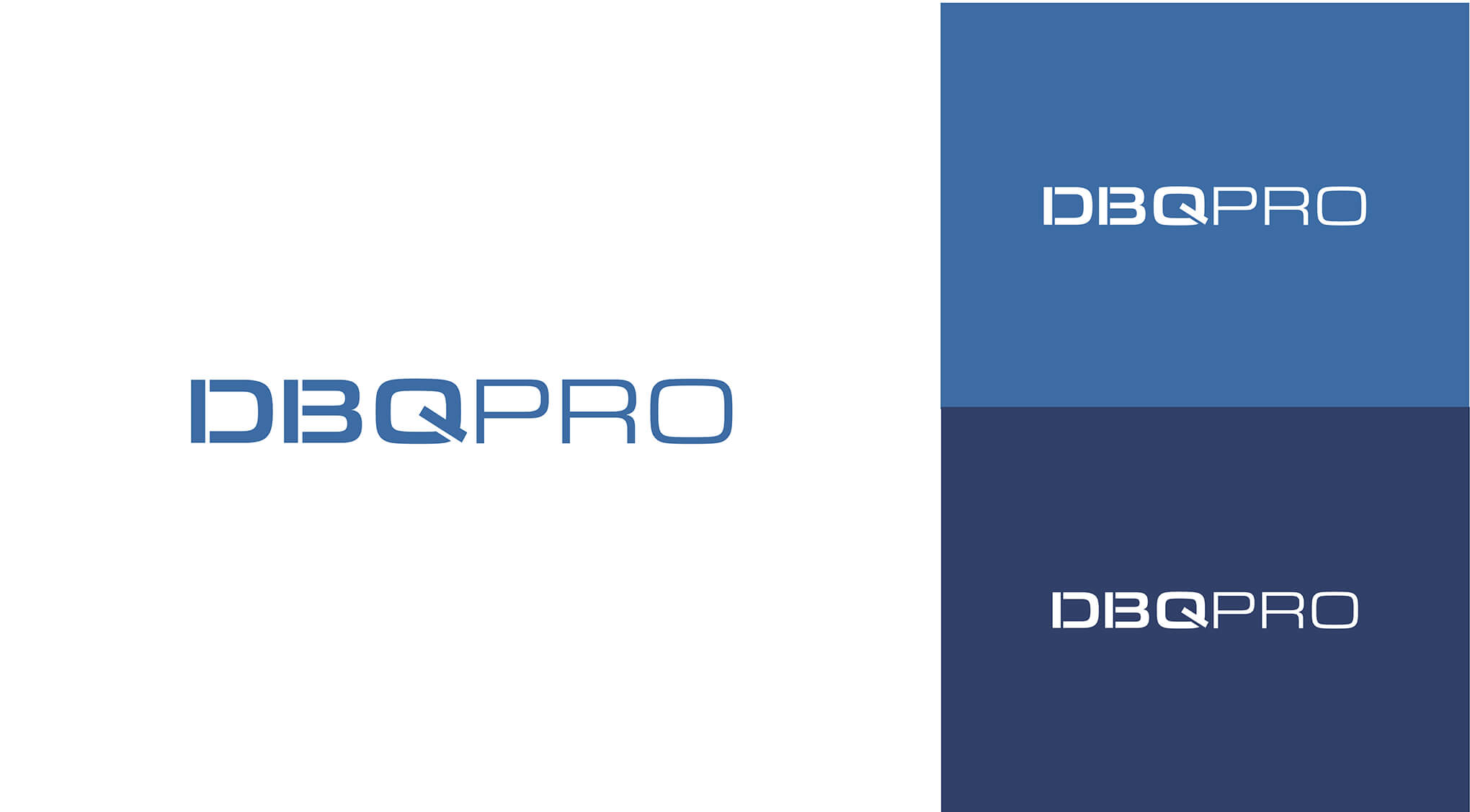
My vision for the DBQ PRO logo was a clean and simple design that has a touch of military style.
Color Palette
After reviewing and testing out several color palette variations, we finally chose the final one. Our color palette combines variations of traditional military colors that are commonly used in the uniforms and symbolics of different branches of the U.S. military.
- Rejected
- Approved!
Defining DBQ PRO
User Flow
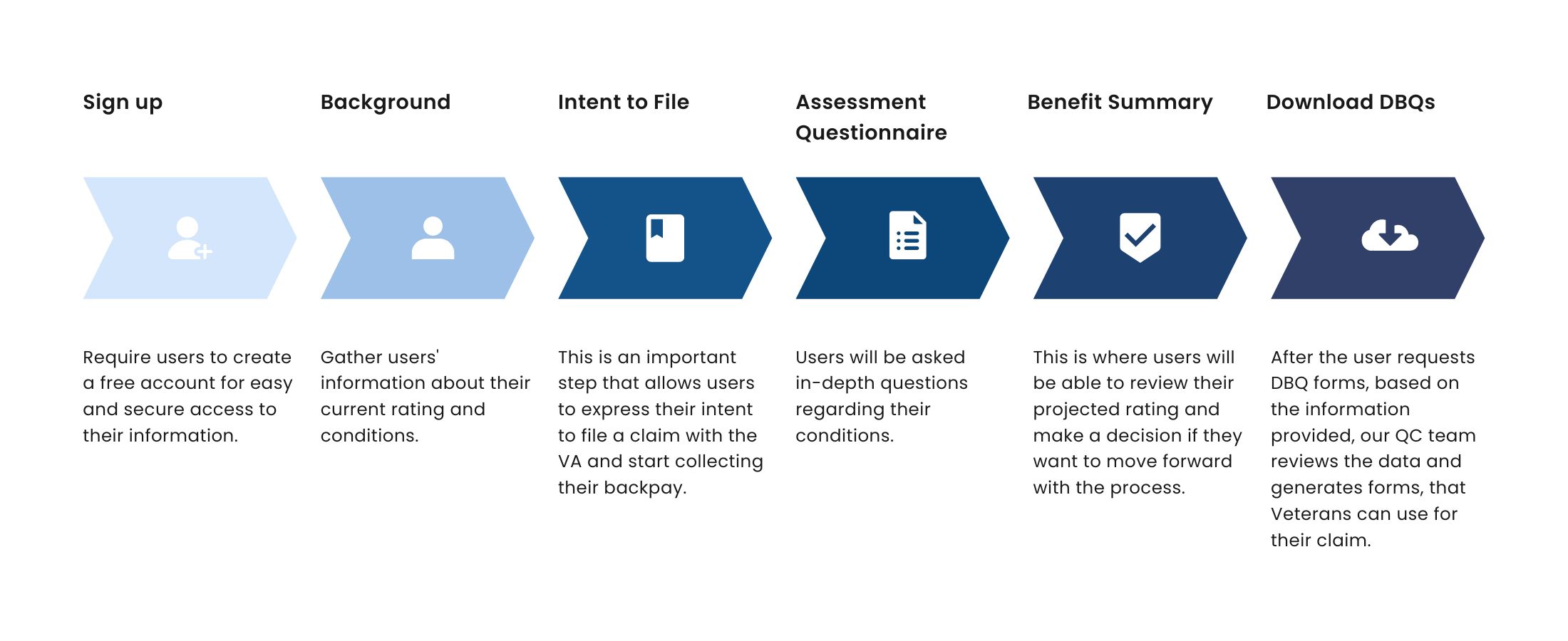
I conducted workshops and sketching sessions with the team to map out the user flow and come up with a storyboard to capture the DBQ PRO task flow.
We identified the following key features:
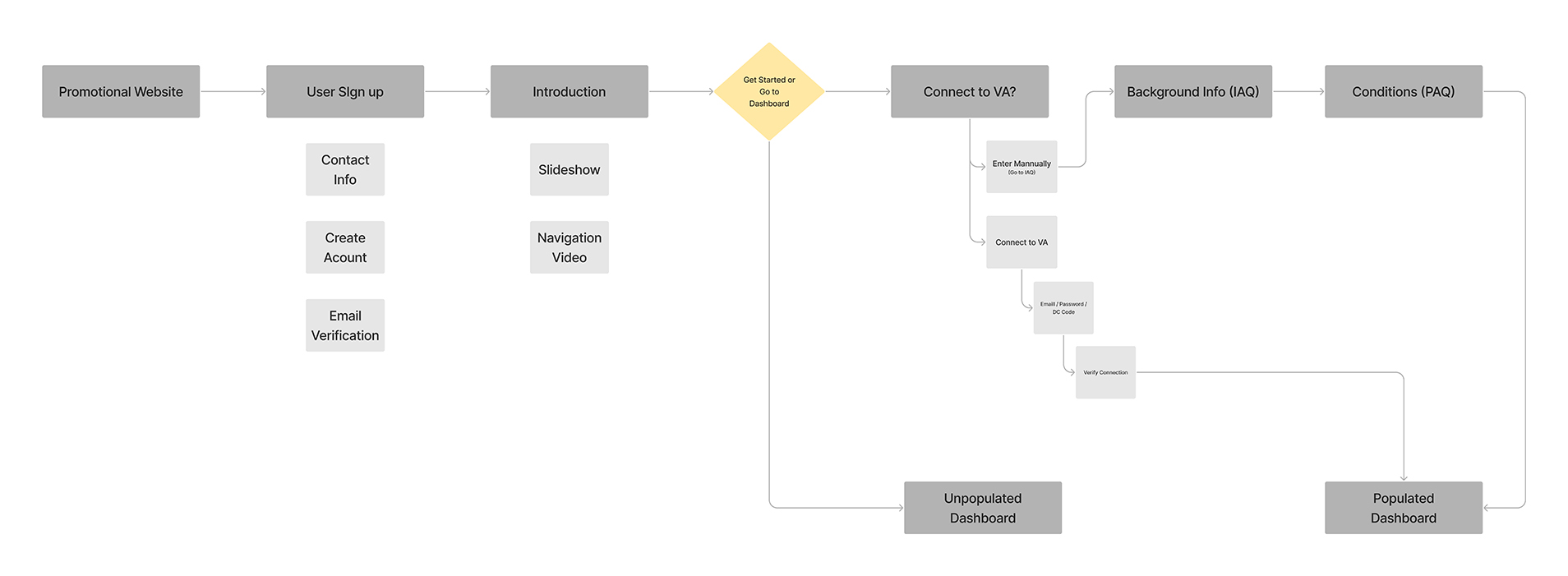
After finalizing the content and functionality of the app, I started structuring the content. I knew that we might change some things in the end, however, creating a site map gave me a clear understanding of the app’s navigation.
Onboarding flow:
Wireframing
With low-fidelity Figma wireframes, the planned syllabus and the general structure of the application could easily be tested in usability tests. Without much effort, adjustments could be made before going into the much more costly digital implementation.
At first, DBQ was planned as a mobile app, but later down the road, it was switched to a desktop-focused software optimized for mobile devices.
Usability-Testing
To detect any vulnerabilities in the structure of the user interface, or in any formulations and interactions early in the process, I’ve conducted four in-person user interviews. For my first round of user tests, I selected four Veterans, and three of them had service-related disabilities, which made them perfect candidates for the testing.
Key Findings
To make an accurate calculation of the projected rating we need more information from Veterans
Questions should be more precise and clear
It is important to know the current rating % and a breakdown by conditions
Veterans prefer to track and save their progress.
For the second round of user testing, I interviewed seven people in the office. Three of them were disabled Veterans, who are our target audience. I also interviewed two veterans, who didn’t have any service-related disabilities, and two non-Veterans. This gave me a good understanding of how our product is being perceived by a different group of people – familiar and not familiar with the process.
Some of the insights we gathered during the second round of interviews are the following:
Of users were looking for some additional instructions/guides on how to complete certain steps
Of users felt more encouraged to complete the process when they could track their progress
DESIGNS
Dashboard
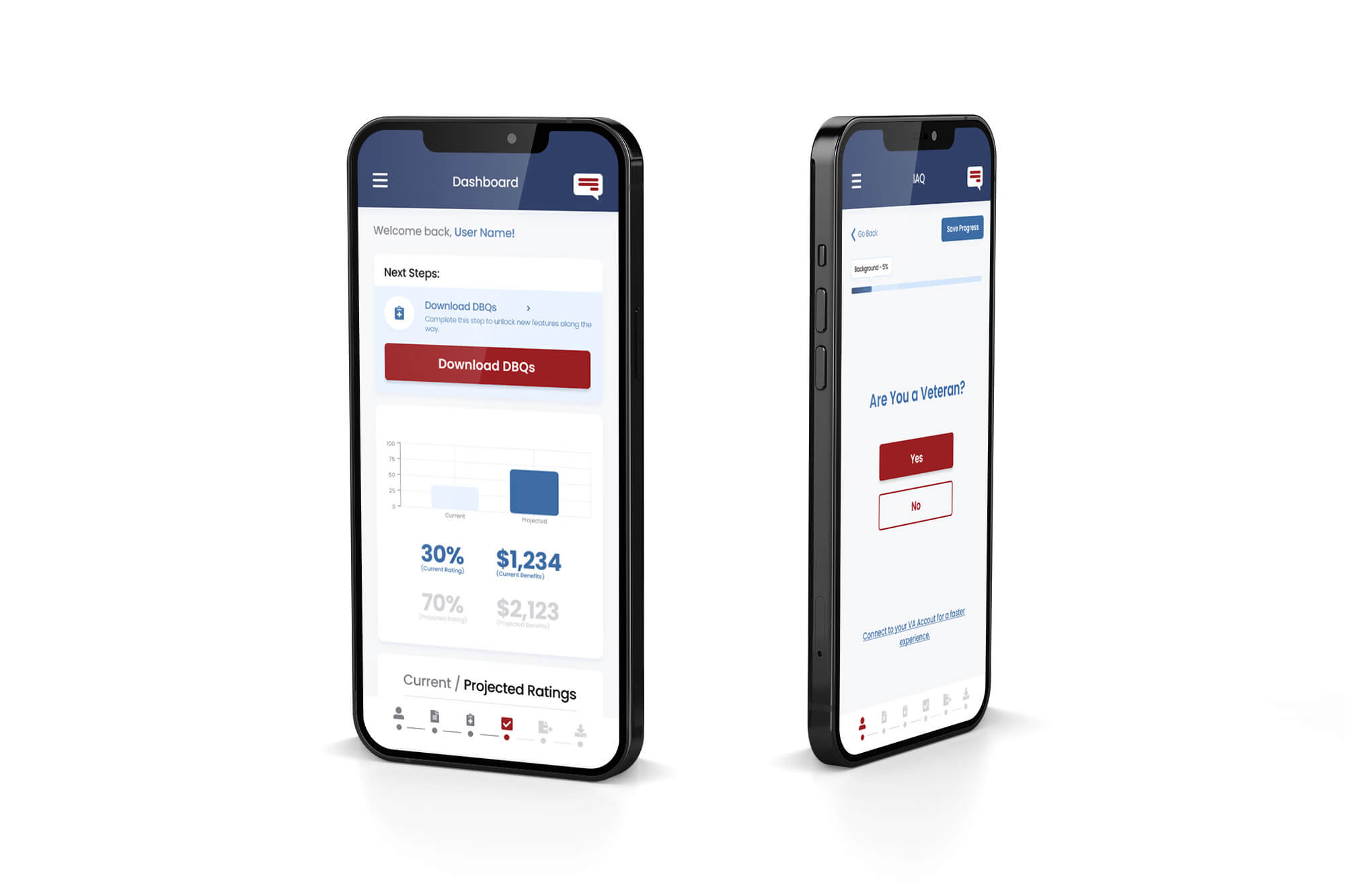
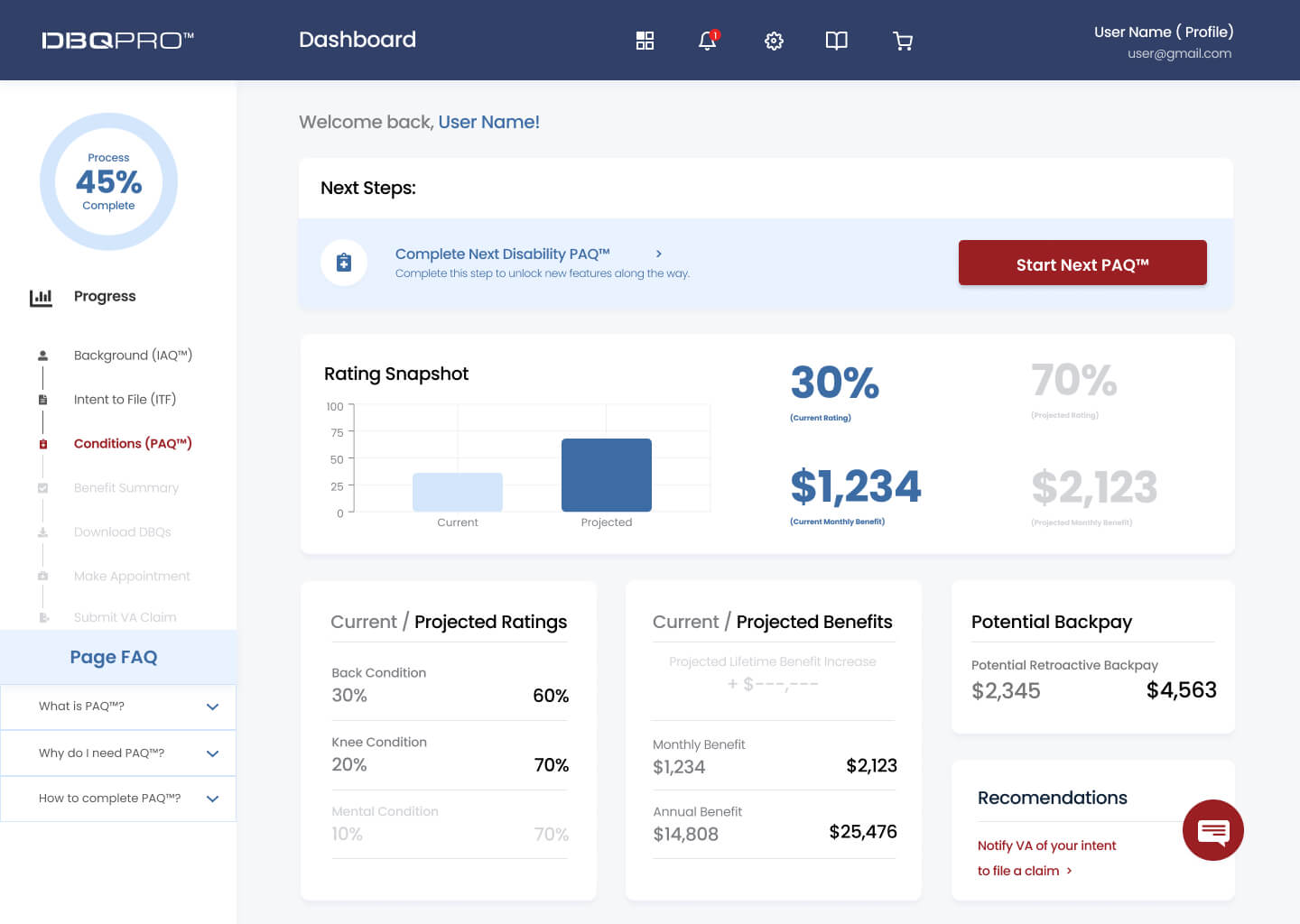
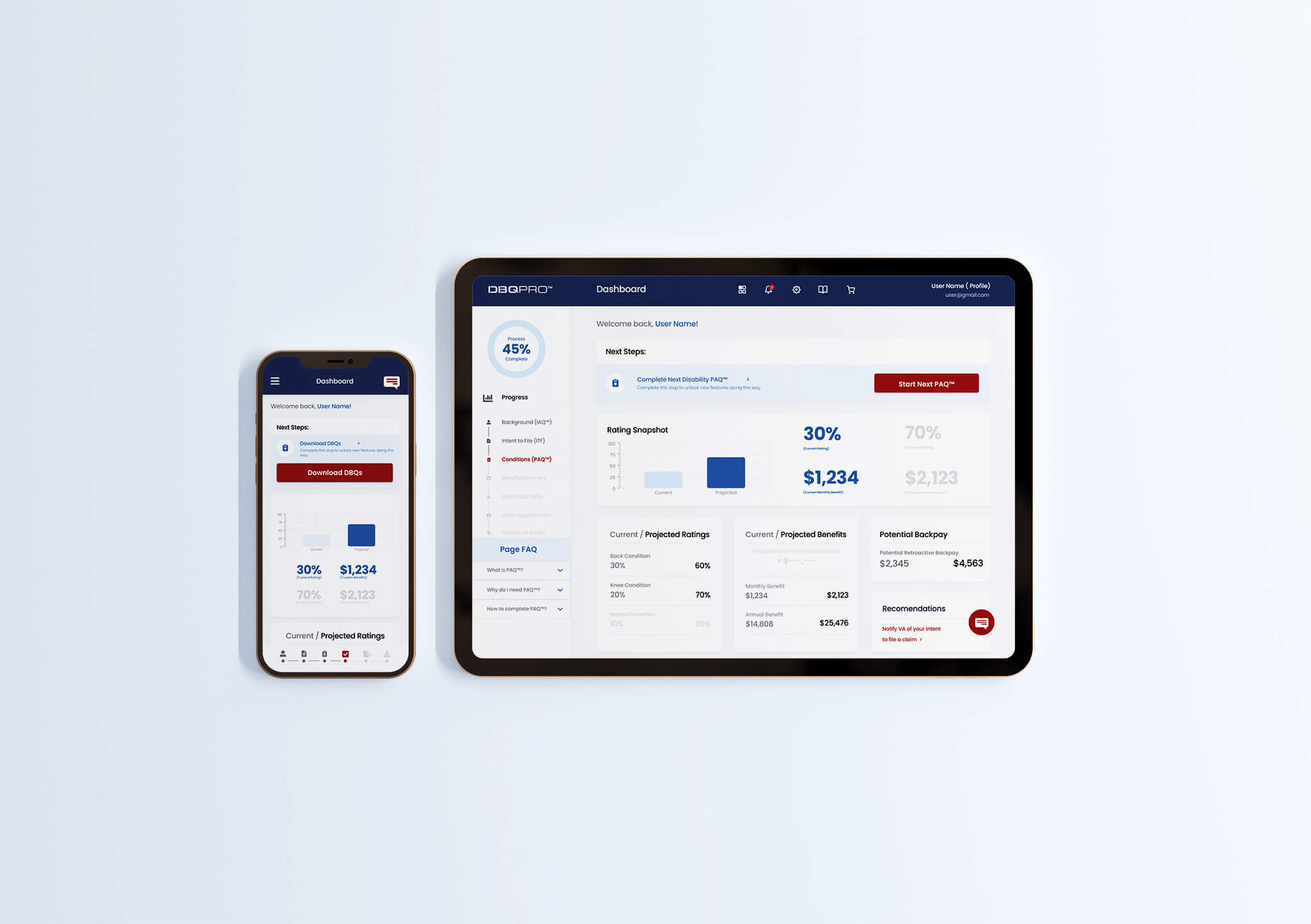
As a user completes steps, they can view their progress towards their goal and see their numbers changing as they input more information. They have the ability to compare their current rating versus the projected one. The dashboard allows users to see recommended next steps to continue the process.
Sign-up
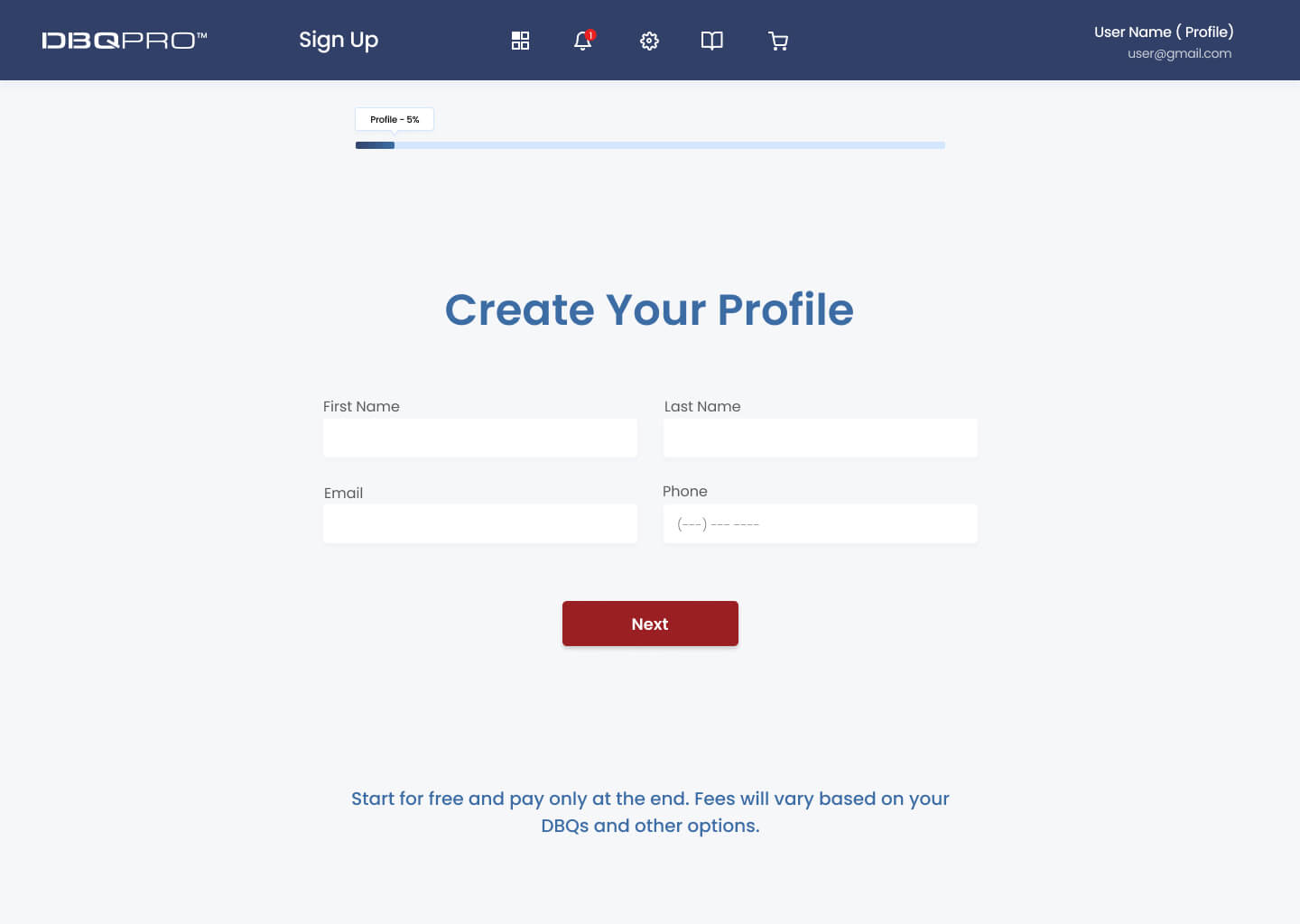
A simple sign-up screen that allows new users to create an account to securely access the product.
Connect VA.GOV account
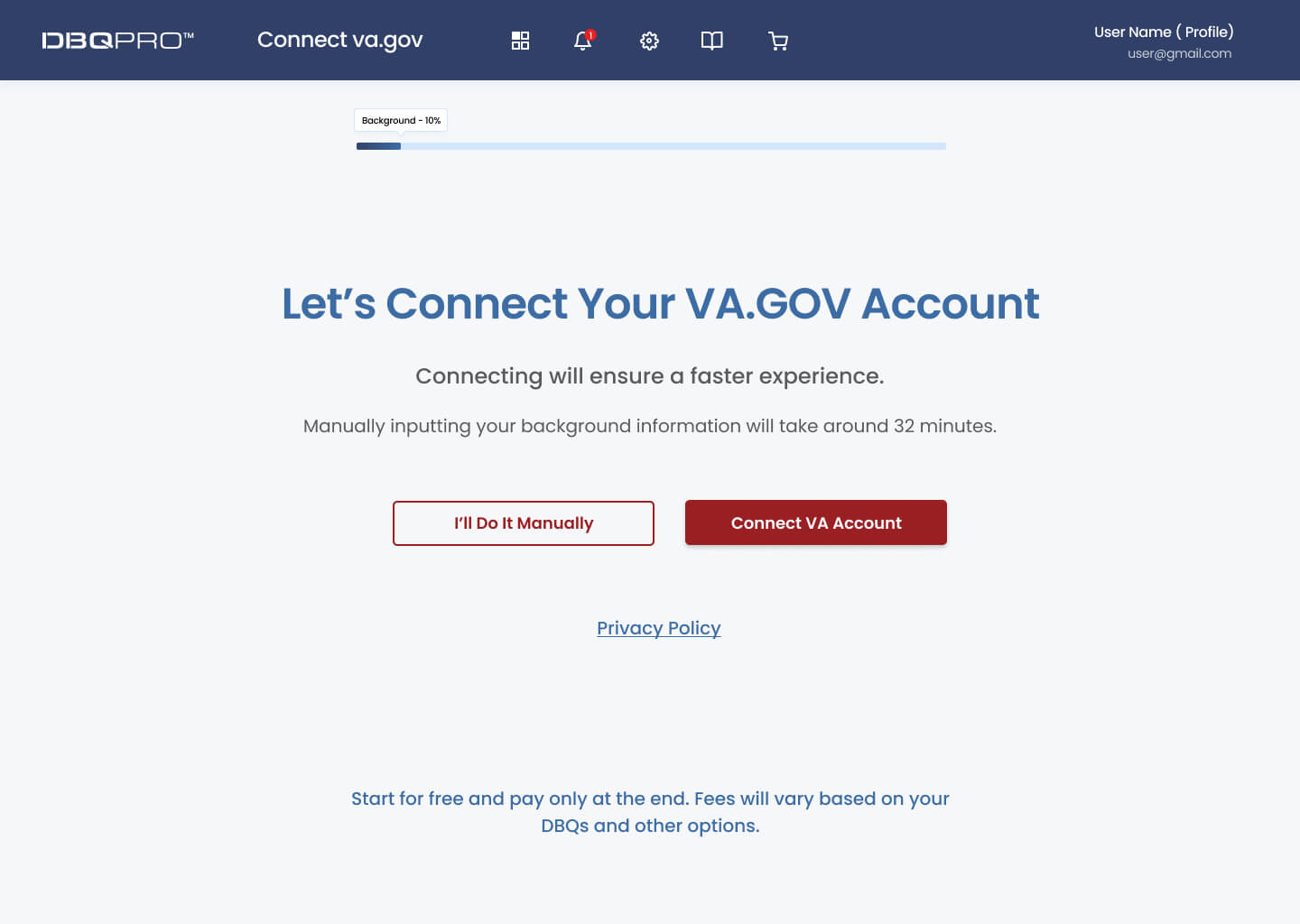
For a faster experience, users are offered to connect their va.gov account to preload some of the information without the need to enter it manually.
Background
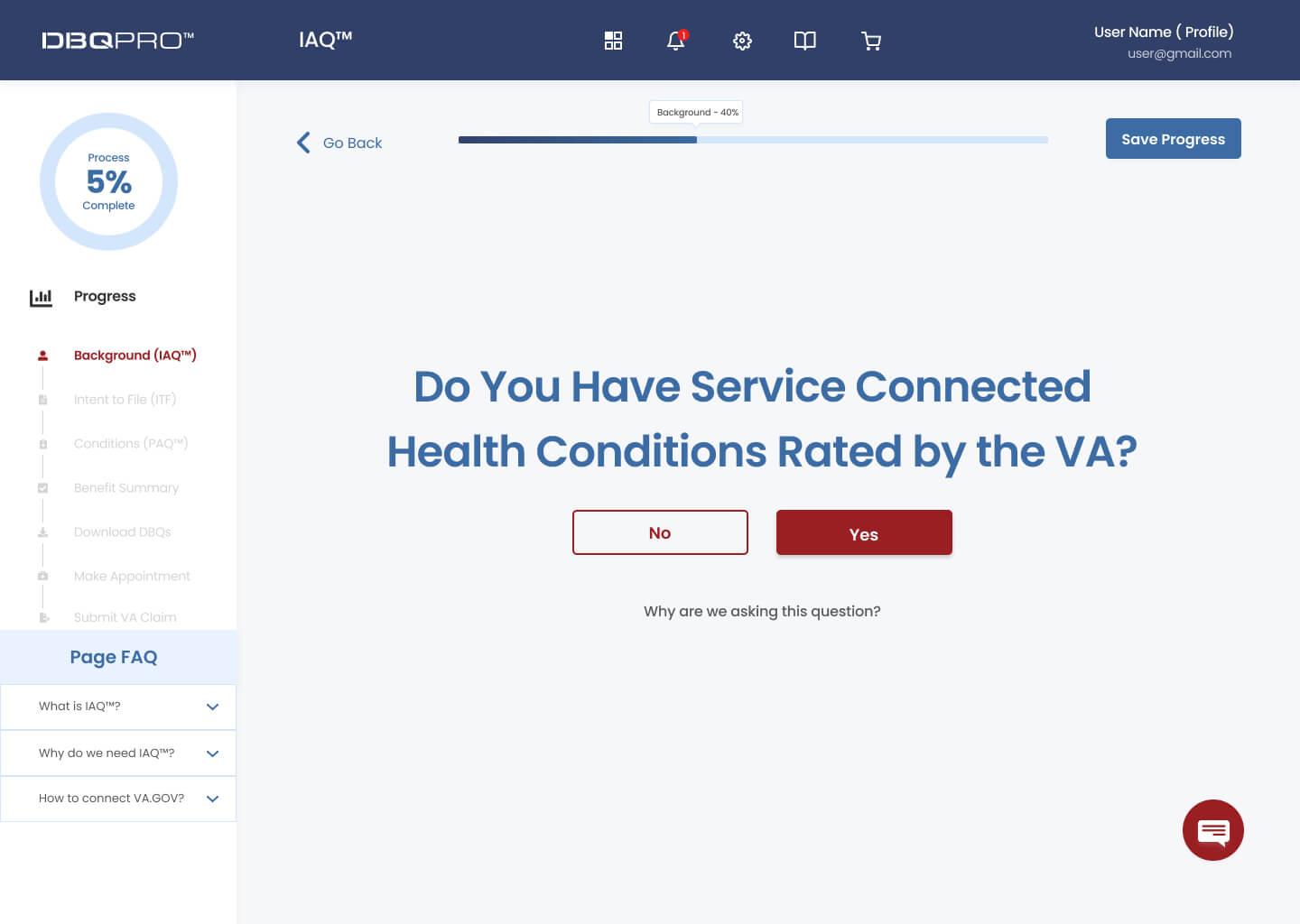
To evaluate a Veteran’s eligibility for a disability rating increase we ask users to answer some background questions.
Personal Assessment Questionnaire ( PAQ) completion
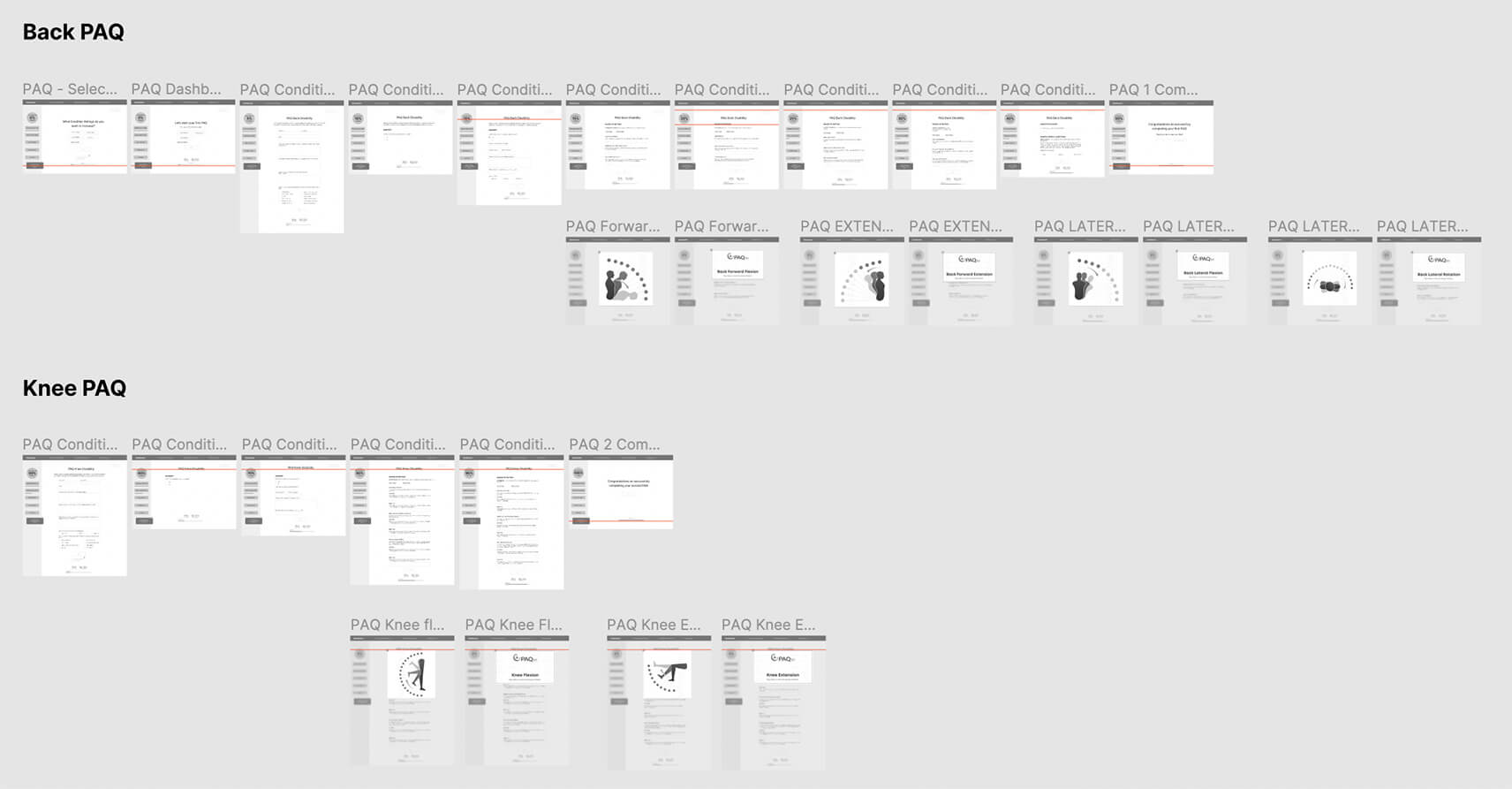
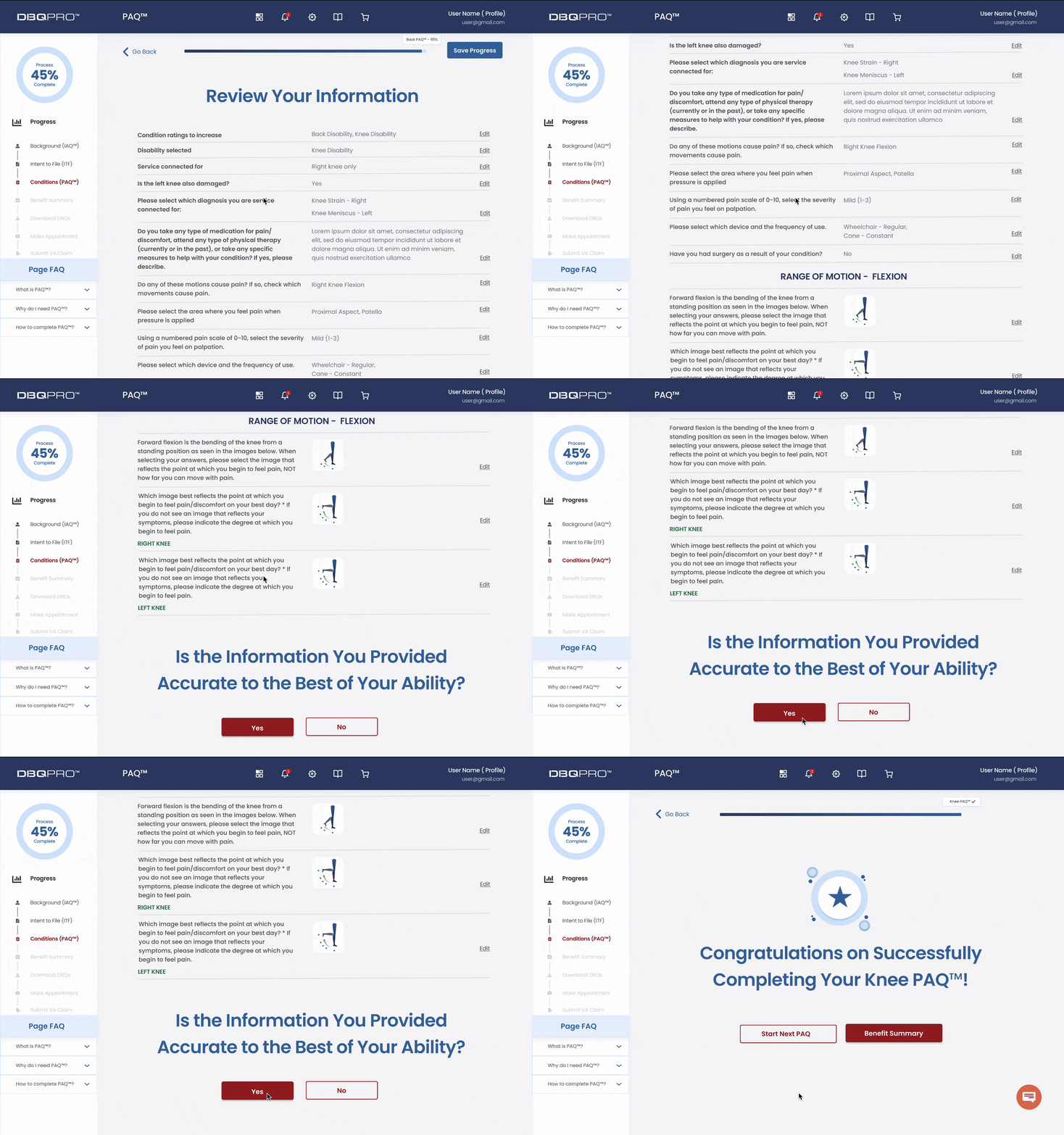
After users complete their next step – Personal Assessment Questionnaire – and answer in-depth questions about their conditions, they can review their answers and change them if necessary. If all answers are correct, users see a completion screen.
Benefit Summary
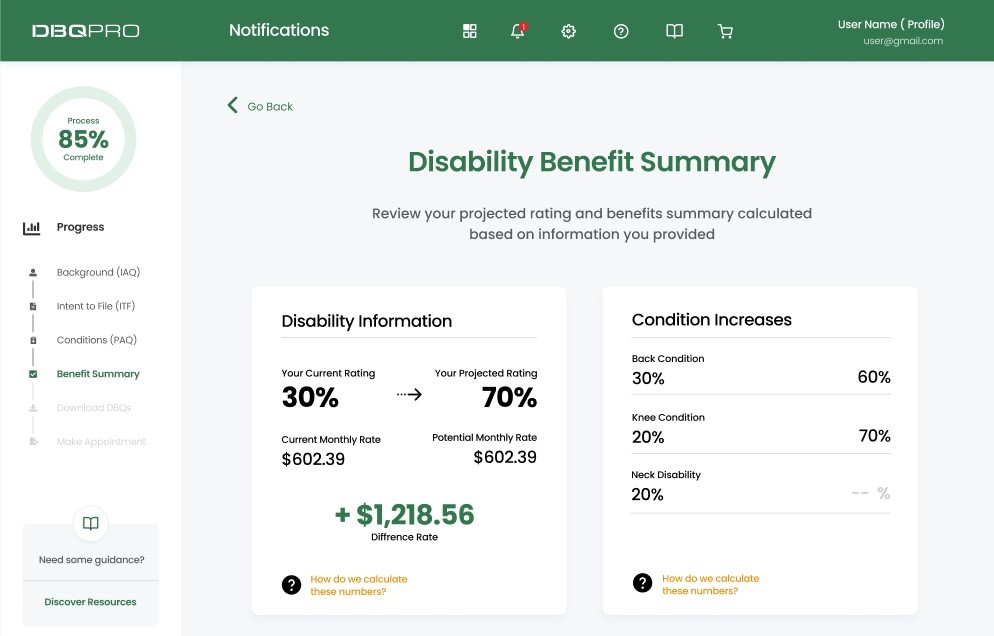
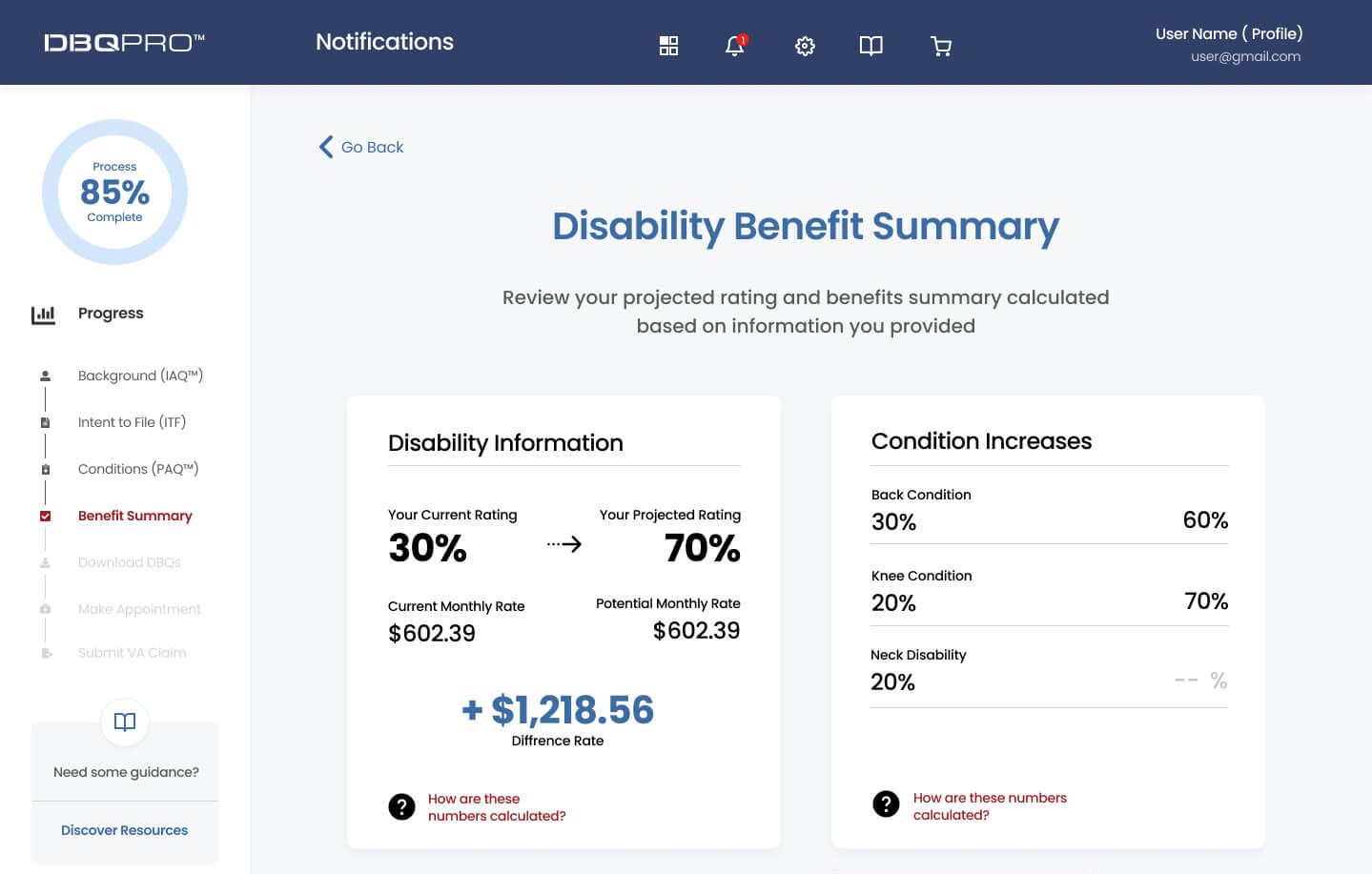
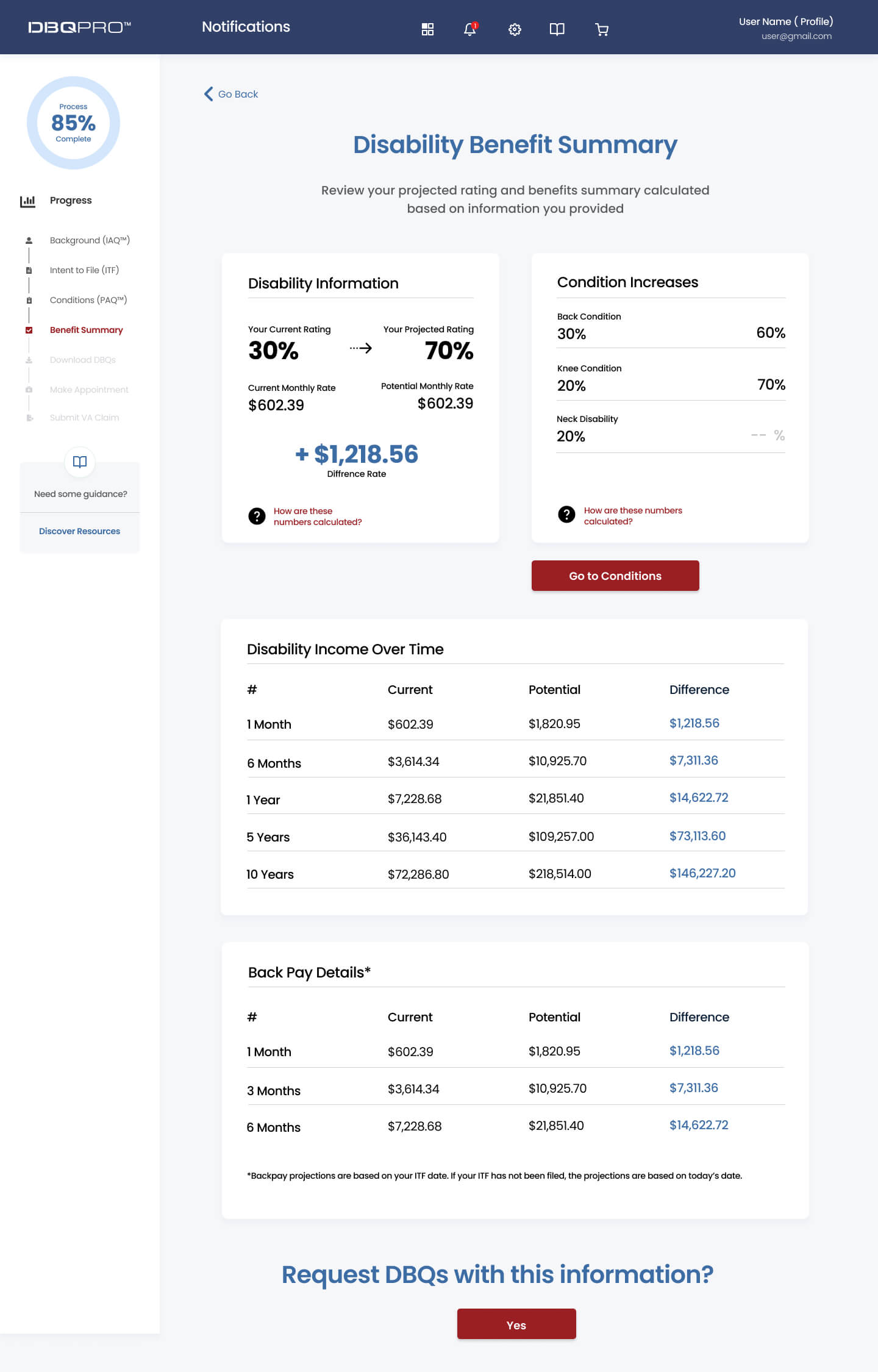
Ultimately the goal of DBQ PRO is to generate DBQ forms for Veterans, that they can use to file a claim with Veteran Affairs. The benefit summary screen provides a snapshot of the projected rating calculated based on information provided by the user at each stage of the process.
Checkout
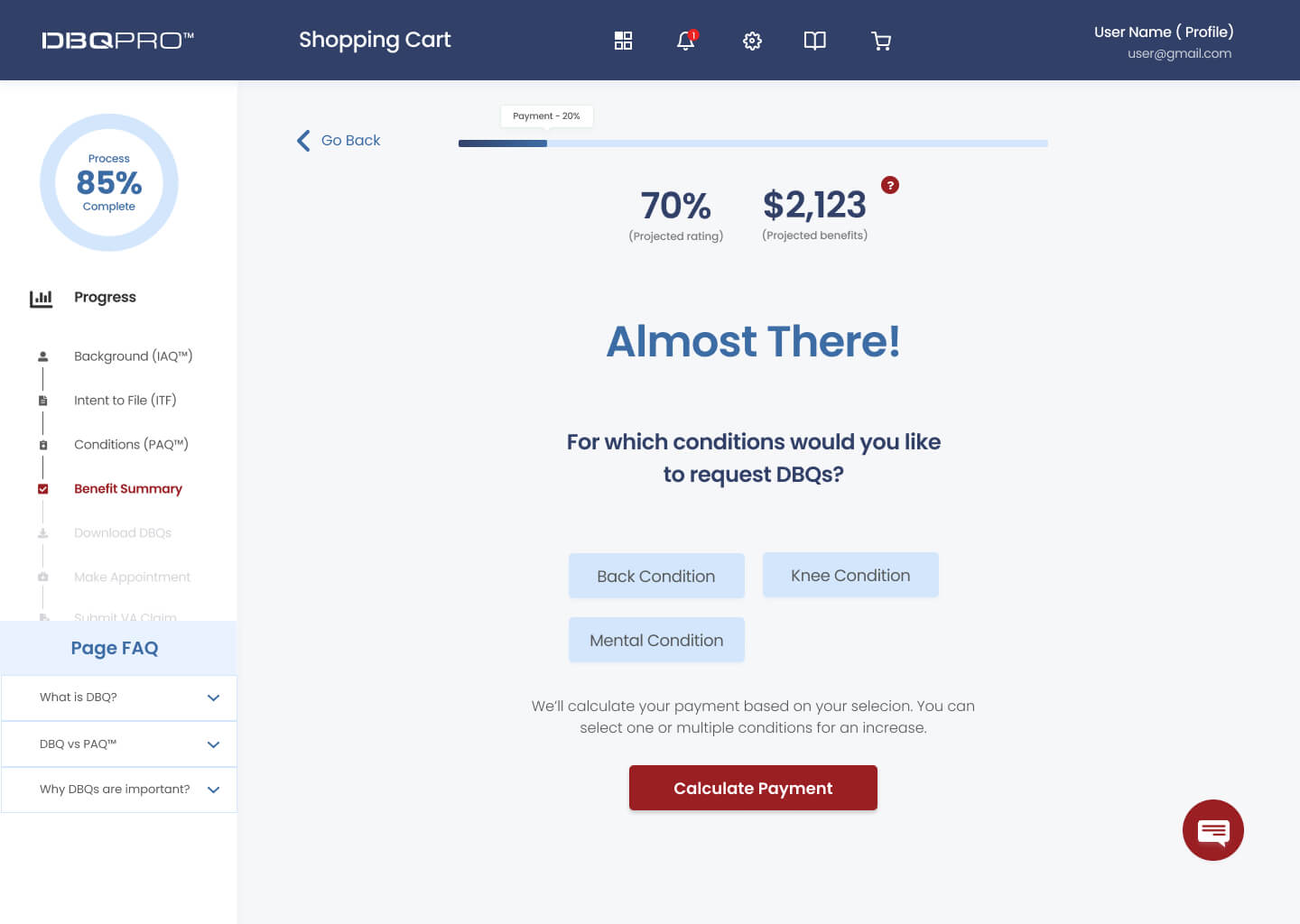
At the shopping cart stage, users can select which conditions they want to submit an application for to receive a fully completed DBQ form.
Working with developers
I worked closely with a team of 5 engineers to develop the designs for DBQ PRO. We teamed up to find the optimal solutions for the users to simplify and speed up their experience. Developers are currently using our sitemap, user journey flow, and high-fidelity prototype to build a final product.
Refinements
While working with developers we discovered several issues in the design that had to be addressed. As a result, I ended up adding a few more screens and features to the prototype to improve the overall functionality of the app, including pages where users can store and access their documents, and pages where users can provide a breakdown of their current rating by conditions, which will increase the accuracy of the final calculations.
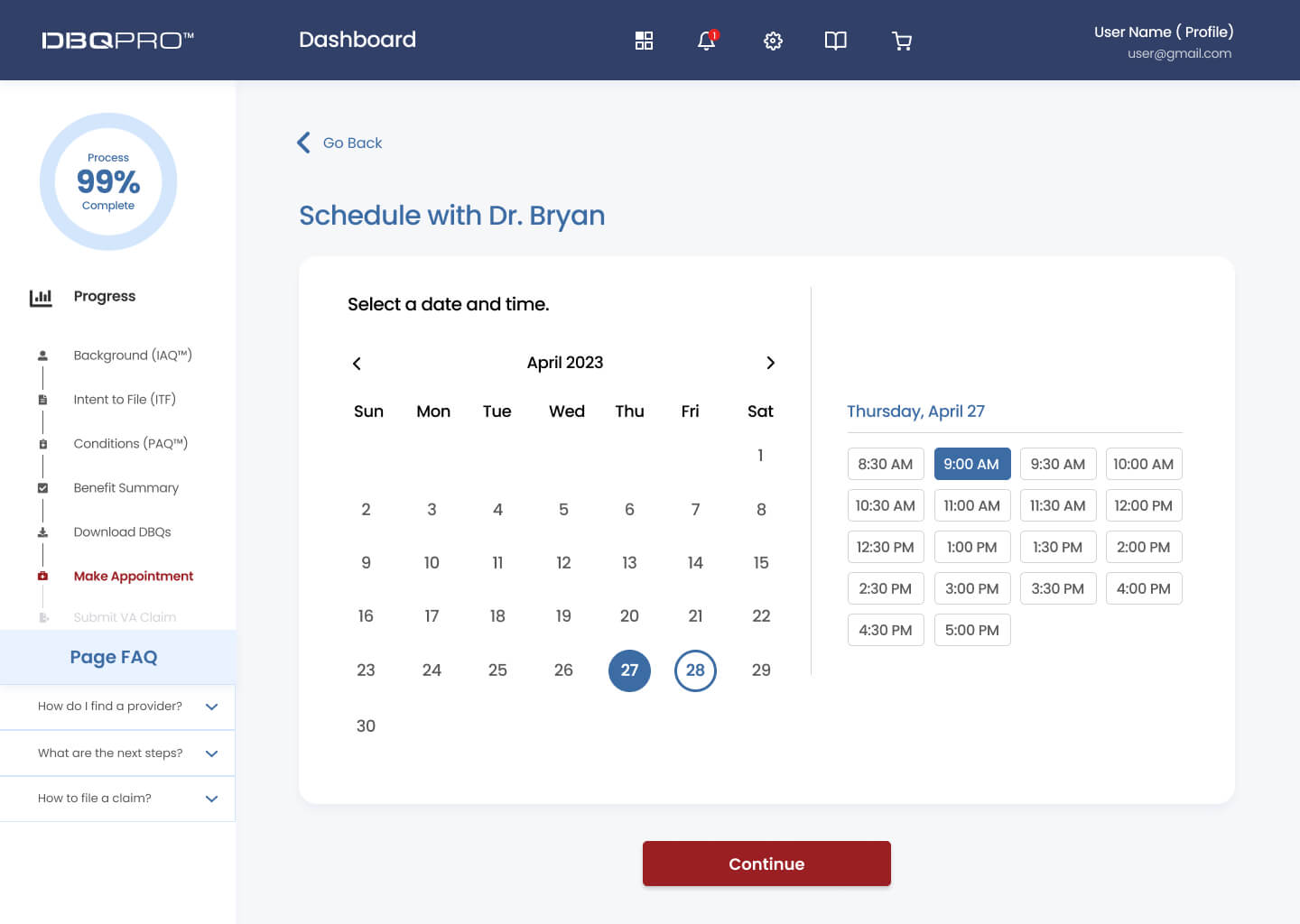
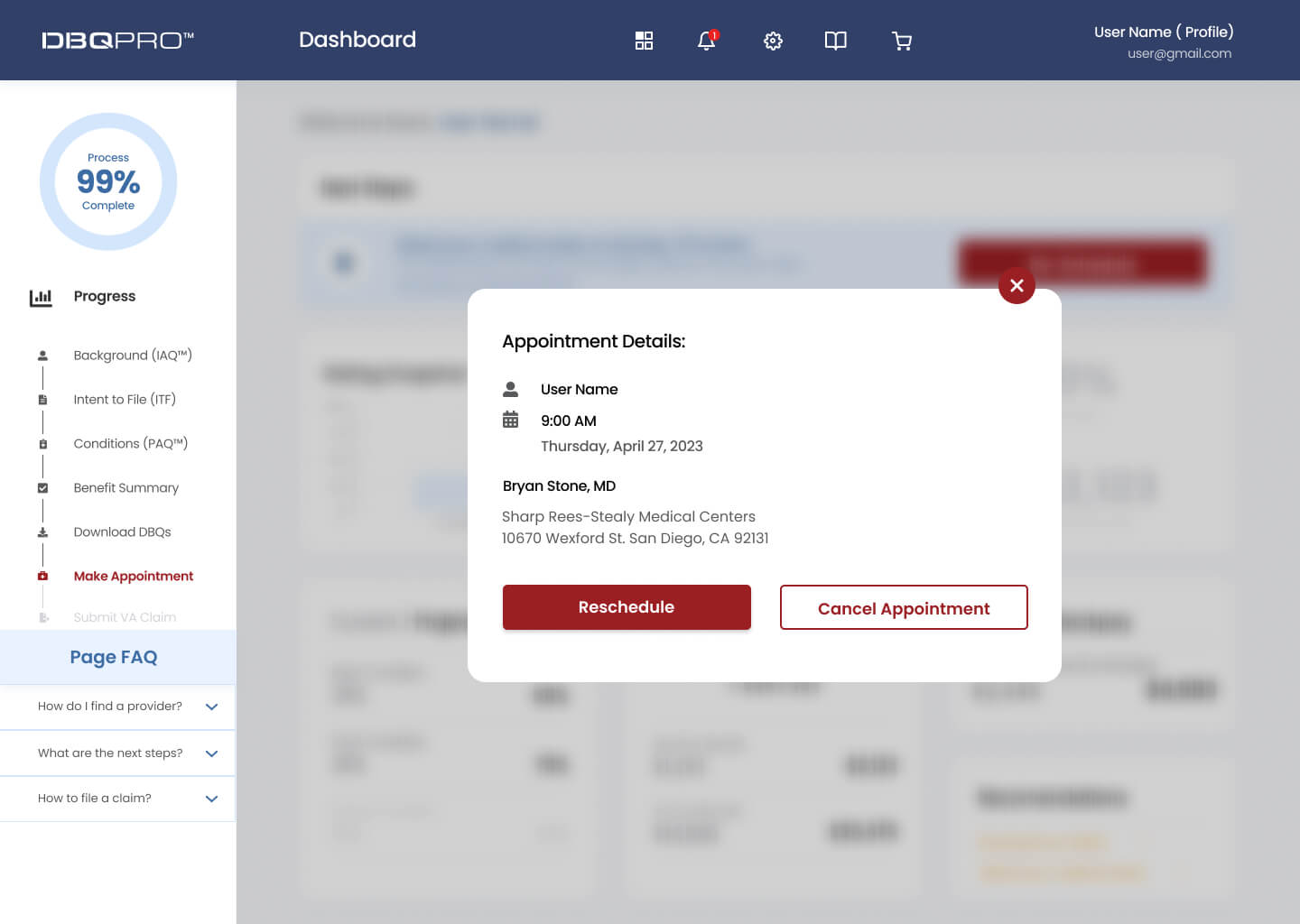
Later, we worked on expanding the app’s functionality by adding a doctor’s scheduling feature.
Results and takeaways
Working in an early-stage startup was an extremely steep learning curve. It was an eye-opening experience that taught me a lot about being lean and knowing when and where to focus your energy and efforts.
Some key takeaways from this project are:
- Focus on building an MVP. In a startup, there is only so much time and effort that you can invest (especially when you’re working full time!) so it’s important to focus on the features that can deliver the highest value for your users.
- Don’t worry too much about the detail. Earlier in my journey, I made the mistake of worrying about the look of the UI. Taking a step back and reassessing the user flows helped me to reprioritize the UX.
- Focus on the problem. At the end of the day, it is your user’s pains that you will be solving for so keeping that front of mind is important as it’s easy to lose sight of this when you’re bogged down in the day-to-day.